
By Sagui Itay4 min read
Free checklist: how to create balanced class lists
Use this checklist at the placement meeting and again before release. Each stage needs an owner and evidence of completion. An unresolved item is not a tick: record who will resolve it and whether it blocks the next stage.
A practical handoff is: one roster version, one rule owner, one draft reviewer, and one named approver. That small bit of discipline keeps a late request or room change from quietly replacing the version staff reviewed. The parent-request guide explains how to route new information without turning every email into an automatic placement rule.
For the reasoning behind the checks and a complete synthetic example, read the class lists guide. This page is the execution and signoff companion, not another overview of grouping theory.
Download the printable checklist
Use the PDF for the core checks. Add the owner, due date, and approval record described on this page to your review packet.
1. Freeze the input roster
Owner: placement coordinator, with the enrollment office.
- Reconcile the roster count, unique student identifiers, arrivals, and withdrawals.
- Resolve possible duplicates; assign an owner to every missing or unclear value.
- Collect dated teacher observations and confirm required provision with support staff.
- Record the source and version used for the draft; limit access to sensitive notes.
2. Confirm the rules and room plan
Owner: principal or delegated placement lead.
- Approve capacities for each room, not only a grade-wide average.
- Separate hard requirements from friend and teacher preferences.
- Confirm required placements and documented separations with their decision owners.
- Resolve contradictory rules before drafting; record any remaining review questions.
3. Check the draft against the inputs
Owner: coordinator; second check by a reviewer who did not create the draft.
- Every enrolled student appears once, with no unknown students or classrooms.
- Every room is within its approved capacity and can deliver required provision.
- Required placements and separations are met; unmet preferences are identified.
- Compare current learning and support distributions, not just averages or equal headcounts.
4. Record staff review and changes
Owners: current teachers and relevant support staff.
- Review the same dated version and check individual needs that summary counts miss.
- Document each proposed move, reason, and affected classrooms.
- Rerun the checks after changes and record unresolved tradeoffs.
- Confirm who will handle late enrollments and new information after approval.
5. Sign off before sharing
Owner: named final approver.
- Record cohort, roster version, placement version, student total, and room capacities.
- Record coordinator, teacher reviewers, support reviewer, approver, and approval date.
- List exceptions, accepted tradeoffs, outstanding actions, owners, and deadlines.
- Do not release a list with an unresolved capacity, safety, or provision blocker.
Use the class assignment report and editable balance checklist for the staff packet. A signature should identify the version approved, not merely say "class lists reviewed."
6. Reconcile the handoff and notify families
- Compare the exported or copied roster with the approved version before updating the SIS.
- Share only the information each recipient needs; keep staff rationale out of family notices.
- Use one notification date and a named contact for questions or new information.
- Archive the approved version and clearly replace superseded lists after any authorized change.
Adapt the parent notification letter to your policy. If you use Shibutz, follow the product walkthrough and export guide. You can create a free account to keep the placement inputs and generated drafts in a workspace.
Related Articles

Class lists guide: balanced elementary school classes
A tool-independent class placement process with a worked 72-student example, unequal room capacities, conflicting friend requests, balance checks, and staff signoff.
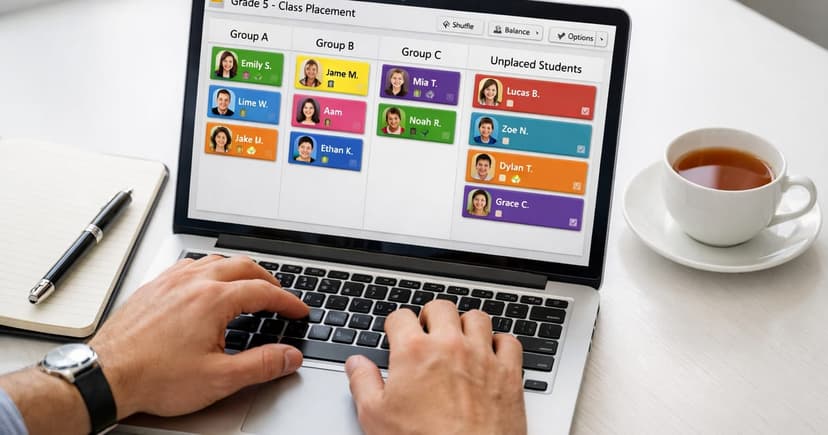
How to use Shibutz: from roster import to reviewed class lists
Follow seven Shibutz steps: prepare a workspace, review rules, set capacities, add required placements, check constraints, generate, and approve an export.

Preparing for the new school year: a principal's checklist
Plan the new school year with placement deadlines, named owners, staffing and room-capacity checks, draft review, and final approval before family notification.
Keep Exploring
Tools, product walkthroughs, and guides to put balanced class placement into practice.
Docs
Free Class Placement Templates
Download four editable Word templates for teacher input, staff review, family communication, and final sign-off.
Free toolClass Placement Readiness Quiz
Answer a few quick questions to see how ready your school is for balanced, low-stress class placement.
Free toolFree Seating Chart Maker
Arrange a balanced classroom layout once your class lists are finalized.